See It in Action
The live dashboard — camera, SLAM map, routes and telemetry for a robot exploring a simulated care home
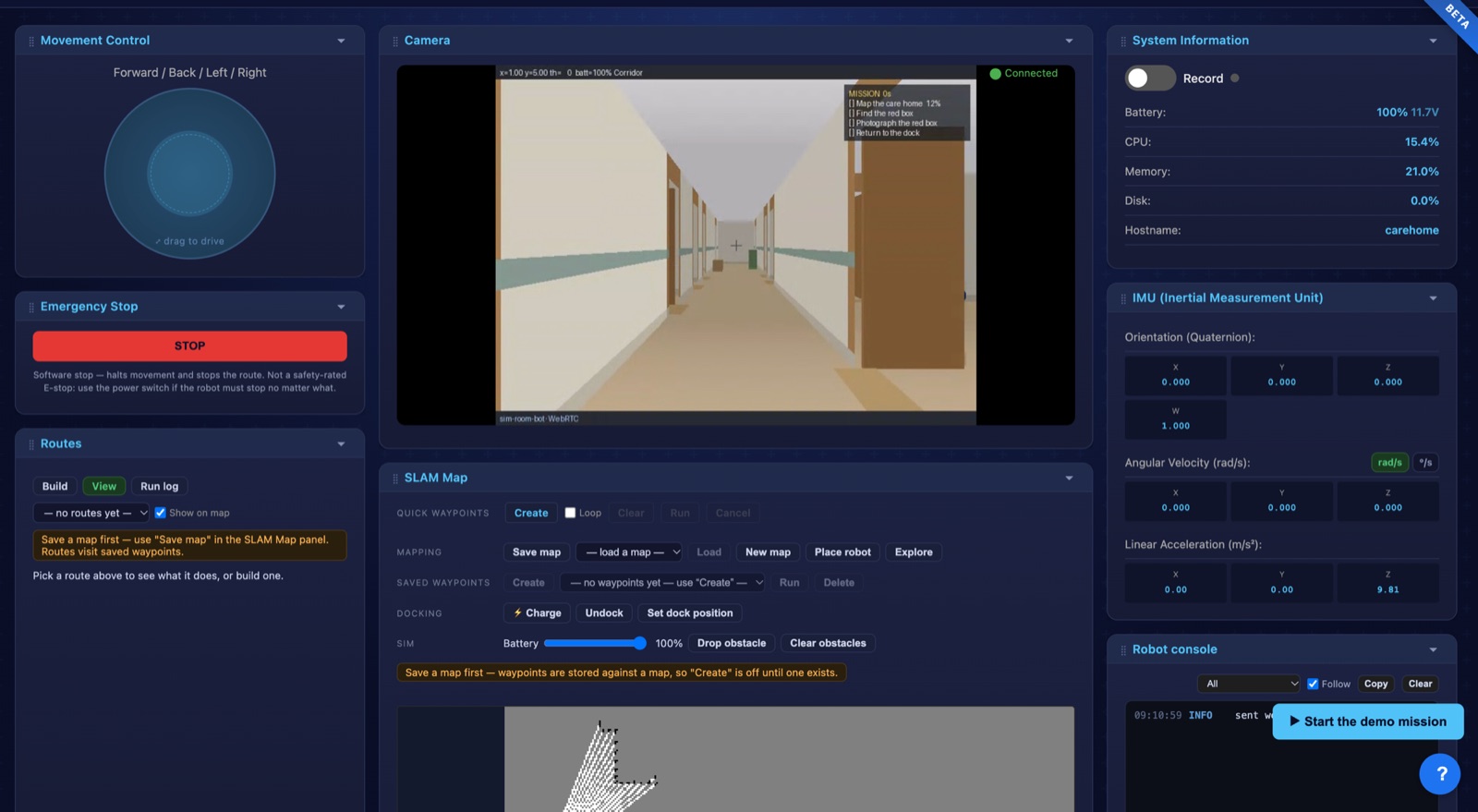
This is a real screenshot, not a mockup — drive it yourself, no sign-up.
Live video and manual control for every robot - plus, on LiDAR robots, autonomous navigation: mapping, named waypoints, patrol routes with actions, obstacle avoidance and auto-charging. All through your web browser.
No sign-up · a simulated robot in a care home · 15 minutes
The live dashboard — camera, SLAM map, routes and telemetry for a robot exploring a simulated care home
This is a real screenshot, not a mockup — drive it yourself, no sign-up.
One dashboard to monitor, control and navigate all your robots in real time
WebRTC peer-to-peer video from your robot's camera. Low latency, works on any browser.
Joystick movement, head control, arm sliders, gestures - full control from your desk or phone.
IMU, encoders, ultrasonics, IR sensors, CPU, memory - real-time data with recording and export.
ROS2, VIAM, Android, and iOS robots - all in one dashboard. Add more any time.
Connect a ROS2 or VIAM robot with a single command. Interactive setup, auto-start on boot.
Map the space, drop named waypoints, then route or patrol multi-stop missions on a loop - with LiDAR and bumper obstacle avoidance, and auto-docking to charge between runs.
Connect Claude - or any MCP client - and ask in plain English: "what can you see?", "go to the kitchen and take a photo", "explore this room and map it". Reading sensors and looking through the camera work straight away; moving the robot is opt-in per robot. Works with the simulator too, so you can try it before you own a robot.
Sign up, verify your email, and grab your API key from your profile.
Run our one-line installer on your robot, or install the BRemote Android app.
Open your dashboard - drive it live, or map the space and set patrol routes with an action at each waypoint.
Free to use. No credit card required. Works with any ROS2, VIAM, or supported Android robot.